
latest
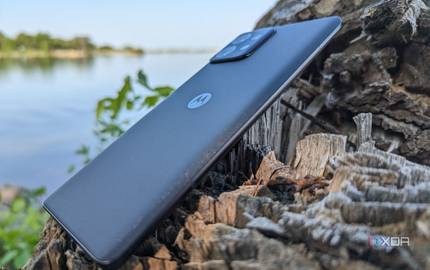
What happened to x86 phones?
Why does Arm rule smartphones rather than Intel or AMD? Here's why phones don't use x86 CPUs.

Some of you may wonder why x86 smartphones aren't a thing anymore, but many more probably didn't know they even existed in the first place. Starting in 2012, companies began launching smartphones using Intel's x86 Atom CPUs, a product line that the company touted as one of its most important. The smartphone market was lucrative enough on its own, but there were other use cases Atom would be great for. Intel only had to break Arm's stranglehold on phones and Intel CPUs would be anywhere.

Bliss OS developer brings Android 12L your x86 PC
Bliss OS, an Android ROM for PC, releases the first beta version of Android 12L in the form of a custom Android-x86 build. Give it a go!

Thanks to the open source nature of Android, people can tailor the OS exactly to their needs. For example, the developers of Bliss ROMs maintain a version of Android known as Bliss OS for the classic x86 platform. The project has now hit its next milestone, as the first Android 12L beta release that people can run on their virtual machines or PCs is now available for download.

Bliss OS 14 brings Android 11 to your x86 desktop PC
Bliss OS 14 based on Android 11 is now available for download as an alpha build that can be installed on your PC or Chromebook.

The first alpha build of Bliss OS 14 is out, making it one of the first Android 11-based ROMs supporting the x86 environment. The build is obviously not stable, but it is proof that the developers are heading in the right direction. For those who don’t know, Bliss OS is an open-source Android-x86-based project that is available for most x86 PCs and incorporates many bleeding-edge features and expanded device support. In short, it gives a new life to your old and aging laptop, desktop, or tablet device.

Bliss OS, an Android OS for x86 PCs, adds ARM64 emulation, Magisk support, and prepares an Android 11 rebase
Team Bliss has rolled out updates this month that bring the versions of Bliss OS , an Android OS for x86 PCs, to 11.12 and 11.13.
Android is best known as an OS for smartphones, but Google's operating system can be found on millions of devices with nontraditional form factors. Microsoft is allegedly working to bring Android app support to Windows 10 using the Windows Subsystem for Linux, but community developers have been working for years to support Android on x86 platforms. The Android-x86 project is the most well-known community-led effort to bring Android to your PC, but there's also Bliss OS on the more bleeding-edge side of things. Team Bliss has recently updated Bliss OS to versions 11.12 and 11.13, bringing support for ARM64 emulation and Magisk.

Android TV x86 lets you repurpose your old PC into a media streamer
Instead of dumping your old desktop or laptop, you can now repurpose them as an Android-powered media streamer with Android TV x86. Read on!
Android is a very flexible platform, and it can be used on a large variety of devices. Android TV, for example, is a unique flavor of Google's operating system that is specifically modified for TVs and digital media players. The whole Android TV experience differs from regular Android mainly through its interface, which focuses a lot on voice search and content discovery. Imagine having the ability to translate that same experience into desktops and laptops running on Intel (or AMD) processors. That’s where Android TV x86 comes in.
The Android Generic project aims to bring popular custom ROMs to your PC
The Android Generic project from the developers of BlissRoms makes it extremely easy to port any custom ROM to your x86(-64) PC. Read on!
Apart from smartphones and tablets, Android is an operating system you can find inside your smart TV, smartwatch, car, and several other devices of all shapes and sizes. When it comes to the world of x86 PCs, however, Google is trying hard to push Chrome OS instead. Thankfully, Android’s open-source nature and versatility allow developers to unleash the full potential of the OS and port it to x86(-64) devices as well. The Android-x86 project is a pioneer in this field, which also serves as the foundation for a number of forks, such as Remix OS (not supported anymore) and Bliss OS. The developer team behind the Bliss OS/BlissRoms project has now come up with an interesting toolkit that should revolutionize the porting process of any custom ROM to the PC platform.

Wine, the Windows Compatibility Layer, reaches version 5.0 on Android
Wine is a Windows Compatibility Layer allowing users to run Windows apps on other OSs. Wine for Android has now reached v5.0 -- check it out!

The Android app ecosystem has steadily evolved over the years of Android's existence, fuelled by the steady adoption of mobile as the primary computer interaction for most people. A lot of users have gravitated towards a mobile-only lifestyle, and that is because the apps and the app ecosystem on mobile have managed to fulfill their particular needs. But if you ever find yourself in need of a desktop application without having access to a desktop, what would you do? This is where Wine comes, a Windows Compatibility Layer that allows users to run full-blown Windows applications on different OSs. Wine for Android has now reached v5.0, collating a year's worth of development efforts from the team.
Android-x86 project releases Android 9 Pie RC while Bliss OS releases Android 10 alpha build for PCs
Android-x86 project has now released its first stable Pie-based build for PCs, while Bliss OS has released its Android 10-based alpha builds.

Earlier this year in January, the Android-x86 project released the first stable version of Android 8.1 Oreo. For the unaware, Android-x86 is an open-source community project that aims to bring Android to PCs running on the x86 or x86-64 architectures. In the Oreo release, the team added plenty of new features, like the freeform window mode, to make Android run a little better on PCs. Since then, the team has been hard at work on the Android 9 Pie release and it has now rolled out the first Android 9 Pie release candidate (RC) build that you can run on a virtual machine or on your desktop.

Bliss OS, an Android ROM for your desktop PC, now supports the Vulkan Graphics API
Bliss OS, an Android ROM for your desktop PC, now comes with Vulkan Graphics support, allowing for partially working sleep states in development builds.
Android is the world's most popular operating system for smartphones, but it does not have any significant presence on desktop. If you have ever wondered how you could run Android on your desktop, Bliss OS presents itself as one of the possible solutions for Android x86. Back in April 2019, Bliss OS based on Android Pie for x86 PCs was released with Google Play Store support. Now, some days ago, the team behind this project has updated its Android 9 Pie release with support for Vulkan Graphics API.
Bliss OS based on Android Pie for x86 PCs now comes with the Google Play Store
Bliss OS is an Android Pie custom ROM for x86-based laptop and desktop PCs. It now comes with the Google Play Store pre-installed.
Although Android dominates the mobile OS industry, Google has never officially dipped its toes into the PC space. Thankfully, Android's open-source nature and versatility let developers get creative and port the OS to many officially unsupported devices. For example, the developers of Bliss ROMs maintain a version of Android Pie for x86 PCs and laptops. I am a member of their Telegram group and I know the team has been hard at work squashing bugs to make Bliss OS as reliable as possible. They released a new version, 11.8, which now includes the Google Play Store.
Android-x86's stable Android 8.1 Oreo image is now available
Since that first Android 8.1 Oreo release in June, the Android-x86 team has released a second RC build and now they are ready for the stable launch.
Back in June, we wrote about the Android-x86 project releasing the first version of Android 8.1 Oreo for PCs. For those that don't know, Android-x86 is a project that aims to get Android working on Intel and AMD x86 PCs. Since that first Android Oreo release in June, they released a second RC build and now they are ready for the stable launch.

PrimeOS is another Android-x86 fork for older PCs
XDA Junior Member TeamPrimeOS recently released PrimeOS as an alternative for using Android on some older desktop and laptop PCs.
The Android operating system is quite versatile and while most people may think of it for mobile only, it can actually be installed on a number of different platforms. Bluestacks is probably one of the most popular options to get Android installed on a desktop or laptop, but XDA Junior Member TeamPrimeOS recently released PrimeOS as an alternative for using Android on some older PCs.

Early Bliss OS build brings Android Pie to your PC
Imagine having the ability to translate the same Android Pie experience into the world of the Personal Computer. That's where Bliss OS comes in.
I own a OnePlus 5 and recently I started using an Android Pie-based ROM on it. The experience of using Pie is a lot more interesting than the experience of using Android Oreo. Two weeks in, I still feel like I'm using a device fresh out of the box. Imagine having the ability to translate that same experience into the world of the Personal Computer. That's where Bliss OS comes in.
Android-x86 based on Android 8.1 Oreo now available for your PC
Android-x86 has now received an update, bumping the project up to the 8.1-rc1 release which brings Android 8.1 Oreo to the users.
Android x86 is an unofficial attempt at porting Google’s Android OS from Smartphones over to the Personal Computer. Although there are numerous ways to have the Android experience through notebooks and PCs, Android-x86 is free of any form of emulator-spam and/or advertisements creeping into the native experience.
Android x86 7.1 R1 Brings Android 7.1 Nougat to Desktop PCs
Android x86 7.1 R1 has been released, bringing a stable port of Android 7.1 Nougat. It can be installed on x86 Windows PCs and Mac computers, and it comes in 32-bit and 64-bit ISO and rpm formats.
The Android x86 project aims to port Android to x86-based Windows PCs and Mac computers. It's a full port of Android, instead of being more of an application player like other solutions. The last release of Android x86 brought a stable port of Android 6.0 Marshmallow back in September 2016, letting desktop users experience the Google Play Store, run Android apps, work with ADB, and more. Now, 7.1 R1 of the Android x86 project is available and it brings full Android 7.1 Nougat to x86 computers.

Wine, the compatibility layer for Windows programs, is now available for Android
Wine 3.0, the newest version of the Windows compatibility layer for Unix-like operating systems, now supports Android devices.
Ever wish you could run full-blown Windows applications on your Android device? Now you can...sort of. Wine, a Windows compatibility layer for Unix-like operating systems, has been updated to version 3.0—and can now be installed on Android devices.
Android-x86 Project Releases Stable Version of Android 6.0
The Android-x86 project has received its first stable build, fixing bugs and bringing us security patches. Read on to know more about what's new here!
If you are someone who runs Android on your laptop or desktop, you may have heard of the Android-x86 project. For those who haven't, the Android-x86 program is an initiative by volunteer developers to port over and run Android onto desktops and laptops running on AMD or Intel processors.
Android-x86 Accuses Console OS of Scamming -- What Happened
Read our complete timeline and analysis of the Console OS and Android-x86 controversy.

A storm has been brewing in the Android-x86 developer community. The CEO of crowdfunded project ‘Console OS’ has been accused of scamming his Kickstarter backers by failing to deliver on his promises. Thanks to popular threads on social media sites such as reddit, the storm grew into a full-blown drama hurricane.

Console OS Brings Android to Your PC
Console OS is finally available to download. Find out if your device is officially supported.
Android was always considered as a mobile operating system. While phones and tablets are over 95% of devices running Android, developers put lots of effort to make Google's OS available for other platforms. You've probably heard of Bluestacks, which brings the Android world to PCs, Macs and TVs. The American company is just one of the many brands that ports the Android OS to personal computers.

When you hear the word "Android," you almost automatically associate this with smartphones and tablets baked in top secret Mountain View labs. However, Android isn't only compatible with the ARM architecture. Rather, it also works with x86 personal computers like netbooks, notebooks, and traditional computers. This is of course thanks to the Android x86 project.