
latest
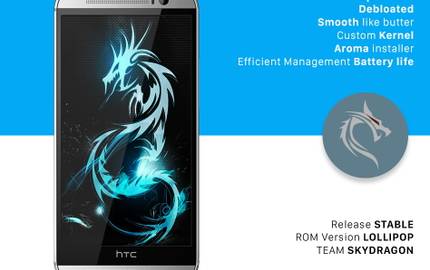
SkyDragon ROM: First Sense 7 ROM for the HTC One M8
Bring Lollipop and Sense 7 to your HTC One M8 with the latest build of SkyDragon ROM. Themes, smart widgets, a new Camera UI, and better battery life await!

The HTC One M8 is frequently lauded as a standout among last year's smartphone offerings, boasting a sleek metal design, and a gorgeous software experience. But with the updated UI of this year's lookalike M9 set to hit store shelves later this month, industrious XDA Forums members have been hard at work bringing the latest software advances to the phones we already own. Nowhere is this push for Lollipop and Sense 7 felt stronger than with the previously featured team behind the SkyDragon ROM for the HTC One M8.


Few tools have made ROM installation and customization easier than AROMA Installer by XDA Recognized Developer amarullz. Rather than installing a preconfigured package, AROMA allows users to pick and choose what parts to install and/or what parameters to set.

Ever since XDA Recognized Developer amarullz created the AROMA installer, we've seen it used in quite a variety of ways. One of the first proofs of concept was the constantly evolving AROMA File Manager by amarullz himself. We've also seen it used for ROM and kernel customization, toolkits, debloating utilities, and much more.

It's been some time since we last heard about an update to AROMA. Sure, we publish stories of modifications and tweaks that utilize the AROMA Installer to afford end users choice in customizing exactly what they are installing. However, XDA Recognized Developer amarullz has now given his AROMA Installer a rather hefty update. For those who haven't yet heard of AROMA, we recommend checking out some of our earlier stories on the installer.

With numerous tool kits available for a plethora of HTC devices, some Samsung users may feel a little left out. Toolkits are often an integral part of a new user's experience because they provide easy access to otherwise complex development work.