
latest

Nvidia CUDA applications can now run on AMD GPUs thanks to ZLUDA
You can now run Nvidia CUDA apps on AMD GPUs, thanks to a drop-in replacement called ZLUDA. It works on both Linux and Windows!

In the evolving landscape of GPU computing, a project by the name of "ZLUDA" has managed to make Nvidia's CUDA compatible with AMD GPUs. Historically, CUDA, a parallel computing platform and programming model developed by Nvidia, has been exclusively available for Nvidia GPUs. This exclusivity has posed challenges for developers and researchers who wish to leverage CUDA's powerful computing capabilities on non-NVIDIA hardware. There are many popular CUDA-powered programs out there, including PyTorch and Matlab.

How to install Node.js on Windows
If you do any kind of work that involves JavaScript, you might want to use Node.js, and you can install it on Windows with these steps.

Whether you're a professional software developer or a casual user, you've probably heard of JavaScript. It's arguably the most common web development language out there, allowing developers to create both visually-appealing and functional apps on all kinds of great computers. To start developing apps in JavaScript, you'll need to pick a runtime, and Node.js is one of the most popular options for both Windows and macOS operating systems. If you want to use Node.js for JavaScript development but don't have it installed on your Windows computer yet, you're in the right place. By following the steps below, you can start using Node.js and Node Package Manage (NPM) in no time.
How to install Python on Windows, Linux, and macOS
If you want to install Python and get started with development, we have a handy quick-start guide to run you through the basics.
If you want to get into development, one of my favorite programming languages is Python. It's a multi-paradigm language that supports imperative, functional, procedural, and object-oriented programming. It's wide open, can be used for practically anything, and is a go-to language for many when working in artificial intelligence or machine learning. I use it for a lot of automation, and it's even the language that some of the testing tools that we've used are written in.

ADB tips and tricks: Commands that every power user should know about
There's a lot to the Android Debug Bridge that you may not know about. Click here for some useful tips and tricks for using ADB!

If you've been an Android enthusiast lurking in the modding scene, or an app developer for any length of time, sooner or later, you will stumble upon a neat tool called the Android Debug Bridge, or ADB for short. It's extensively used in Android Studio as a command line companion utility. Android developers also use it as a standalone solution to manually install and test apps on Android smartphones as well as emulated Android devices.

Google details the future of Flutter: RISC-V support, improved rendering, and more
At Flutter Forward in Nairobi, Kenya, Google talked about the future of Flutter.
Google created Flutter a number of years ago, with the aim to make a cross-platform software framework. Flutter's biggest strength is that it can be used to build applications for Android, iOS, Linux, Windows, macOS, and even the web, all from the same shared codebase. Now, at the "Flutter Forward" event in Nairobi, Kenya, the company took some time to outline some features coming in the future, all while sharing a number of key milestones, too.

Wine 8.0 released with better controller compatibility, experimental WoW64 support, and more
Wine 8.0 is here, and it's packing a lot of improvements over last year's Wine 7.0.
If you're looking to run Windows applications on Linux, then you've probably heard of Wine. Wine works as a layer translating Windows API calls to POSIX (Portable Operating System Interface) calls while also recreating a Windows directory structure and providing alternative implementations of system services. It doesn't use any emulation or virtualization to execute Windows binaries, either. Now, Wine version 8.0 has just been released with a ton of improvements and changes.
Google releases Extension SDK for bringing new features to older Android versions
The Extensions SDK is what makes features like Photo Picker possible on older Android versions.
Project Mainline is a way for Google to deliver updates to some critical system components through the Google Play Services framework and the Google Play Store. Each Mainline module is delivered as either an APK file, an APEX file, or an APK-in-APEX. When a Mainline module is being updated, the user sees a "Google Play System Update" (GPSU) notification on their device. Effectively, to deliver updates to critical components, Google has bypassed the need to wait for an OEM to roll out an update, choosing to do the task itself. The company has now released the first public version of the Extension SDK, and it's delivered to devices via a system module.

Jetpack Compose comes to Android TV, Compose Material 3 reaches stable
If you're a developer, you probably know what Jetpack Compose is. Material 3 Stable is now here, along with Compose for Android TV.
Jetpack Compose is a declarative UI engine written in Kotlin that aims to replace or be a viable alternative for classic imperative UI engines, like Android’s XML layouts. In essence, Jetpack Compose is a powerful code-only layout engine that can make UI implementation a lot easier. It was first released in alpha in August last year, followed by a beta release in February this year with a lot more additions. Now, at Google's Android Developer Summit, the company has announced that Compose is coming to Android TV. Even better is that Material 3 is now in Stable, meaning that you can use it to build your apps with confidence.

Google starts uploading Android 13 source code to AOSP
After much anticipation, Google has finally released the source code for Android 13. The final version has also launched, too!

After some anticipation, Google has released the source code for Android 13. Although the release came a bit later than expected, the company has started uploading the source code to Android Open Source Project (AOSP) Git repositories. This can often take some time, often requiring hours for the update to be fully populated. As a result, be patient if you don't see it. This source code release also comes alongside the full release of Android 13.

The story of the impossible port: How Quake was ported to the Game Boy Advance
Porting Quake to the Game Boy Advance would have seemed to have been impossible, but Randy Linden managed to pull it off. Here's how.
The Game Boy Advance is a handheld games console created by Nintendo. It was released in Japan in 2001 and served as the successor to the Game Boy Color. It had an ARM7TDMI clocked at 16.78 MHz, 32kb of internal work RAM, 256kb of external RAM, and 96kb of VRAM. It's not the most powerful machine, but there are plenty of games for the handheld that many hold in fond memory. One game that never saw the light of day though for the device was a prototype port of Quake, a game developed by id Software that helped define the first-person shooter genre that we know today.

Google's 'Now in Android' app aims to help app developers build better apps
Google has released a new 'Now in Android' app to help app developers build better apps. Check it out by following the link in the post.

At its I/O developer conference this year, Google showcased a new 'Now in Android' app for developers. The app aims to help developers stay up to date with all areas of Android development and showcase best practices, opinionated designs, and solutions to complex real-world problems that other sample apps don't handle.

Android Studio Electric Eel Canary brings Live Edit to the Compose Preview
At its I/O Developer Conference today, Google announced a new Canary release for Android Studio codenamed Electric Eel. Download from the link in the post.
After months of testing on the Canary channel, Google finally graduated Android Studio Dolphin to the beta channel at its I/O Developer Conference today. The beta release packs various Jetpack Compose features and improvements, new features for the Wear OS emulator, and a couple of additional developer tools. Along with the Dolphin beta release, Google has rolled out the first Android Studio Electric Eel Canary release. It too brings a host of new features and improvements. In this post, we'll take a look at all the new features in the latest Canary release.

Android Studio Dolphin is now available in beta
At its I/O Developer Conference today, Google announced that its graduating Android Studio Dolphin to the beta channel. Download from the link in the post.
Android Studio Dolphin has been in Canary for a while now. At its I/O Developer Conference today, Google has finally graduated it to the beta channel and introduced a new release, codenamed Electric Eel, on the Canary channel. Both the latest beta and Canary releases of Android Studio bring along a host of new features, like the ability to view Compose animations in Animation Preview, resize the emulator for large-screen devices, pair, and control Wear OS emulators and launch tiles, watch faces, etc. directly from Android Studio, and more. In this post, we'll take a look at all that's new in the latest beta release.

MDN Web Docs introduces new design, teases paid subscription
MDN, one of the most popular documentation sites for web development, has a brand new look and a premium subscription on the way.

MDN Web Docs, previously known as the Mozilla Developer Network, is one of the best documentation sources for web development around. It's a fantastic resource for learning everything from new CSS properties to the latest APIs for Chrome extensions, and now the site has a brand new look and feel. MDN is also teasing a possible paid subscription option.
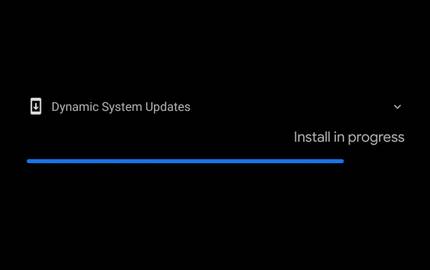
DSU Sideloader lets you easily boot any custom GSI via Android DSU Loader
DSU Sideloader is an open source app that greatly simplifies the custom GSI installation process of the Android DSU Loader. Check it out!
Last week, Google released the first Developer Preview build of Android 13. While the current release is only available for a handful of Google Pixel smartphones, the company will likely publish official Generic System Images (GSIs) for the subsequent builds. Apart from manually flashing the GSI, developers can then utilize the Dynamic System Updates (DSU) loader feature to try out the new iteration of Android without wiping out the underlying system partition of the test device.

Qualcomm announces Snapdragon Spaces to help developers create immersive AR experiences
Snapdragon Spaces is a new development platform from Qualcomm that aims to help developers create immersive AR experiences.
While augmented reality (AR) headsets have improved significantly over the last couple of years, great augmented reality experiences are still hard to come by. Qualcomm aims to address that with Snapdragon Spaces -- a new platform to help developers create immersive AR experiences.

GitHub announces web command palette, revamped Issues, and much more
Microsoft-owned GitHub revealed a slew of new features today, including Jira-like project management, a web command pallete, and more.
GitHub is one of the largest code repositories in the world, hosting source files and management tools for hundreds of thousands (if not millions) of software projects across the world. It's one of the best services for maintaining open-source software, with powerful issue management, continuous integration support, and much more. Today is the start of GitHub Universe, the company's annual development conference, and there's some exciting news.

Advanced Android Development: How to bypass the hidden API blacklist
Google introduced restrictions in Android 9 on which APIs can be accessed by developers. Here's how to bypass those hidden API restrictions.
Way back in 2018, Google released Android Pie. Among the UI changes and new features, there were also some developer-side changes. Those changes included new APIs, bugfixes for existing APIs, and also restrictions on access to hidden APIs.

Advanced Android Development: Elevate app permissions using Shizuku
Rooting isn't for everyone. Here's how you can get elevated shell-level permissions in your app using the Shizuku library.
There are a lot of reasons the permissions normally granted to your app might not be enough. Maybe you're like me and enjoy creating hacky apps that abuse the Android API. Some of the APIs I use are locked behind special permissions. Sometimes only the shell user (ADB) or system can access them. There's a solution though — Shizuku.

Android Development Basics: How to add Kotlin to an existing Java Android project
If you're looking to access Kotlin APIs from an existing Android project that's written in Java, here's how you can do so in Android Studio.
Kotlin is pretty great. It's got a whole bunch of useful language features, and the syntax is generally clean and simple. It's also cross-platform, and the base language can compile to a whole bunch of different languages and platforms.